


Twitch: Live Streaming
4.0245.99K Reviews
App Specs
- Version
- Varies with Device
- Updated On
- License
- Free
- Downloads
- 100,000,000+
- Developer
- Twitch Interactive, Inc.
- Categories
- Entertainment
- Platform
- Android, iOS
Screenshots
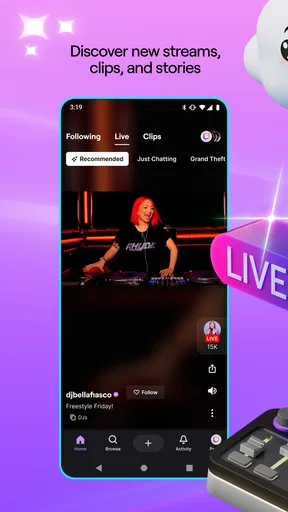
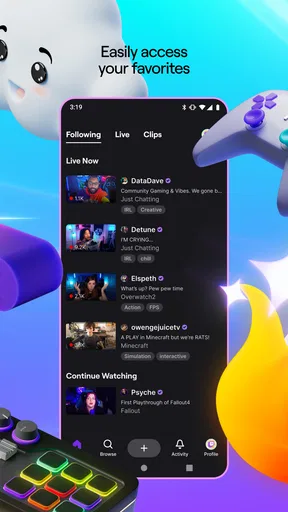
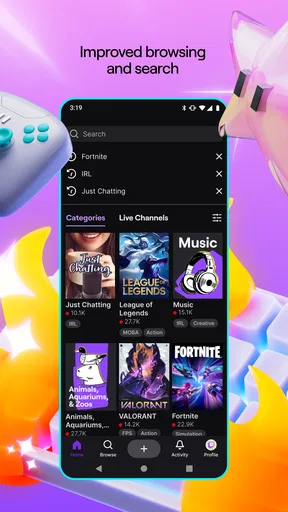
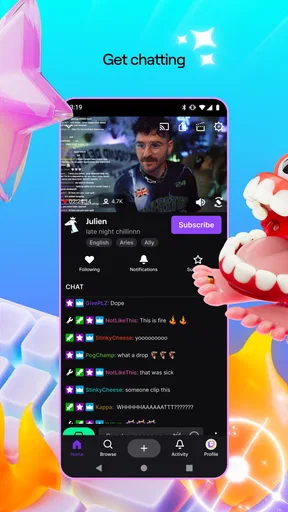
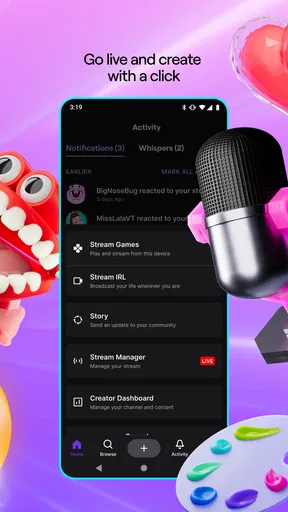
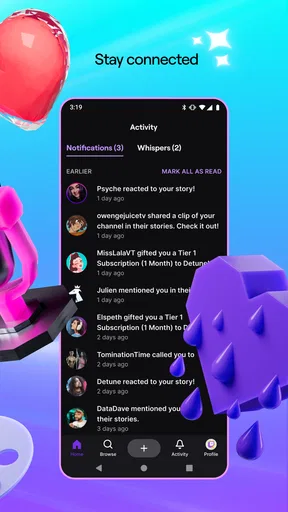
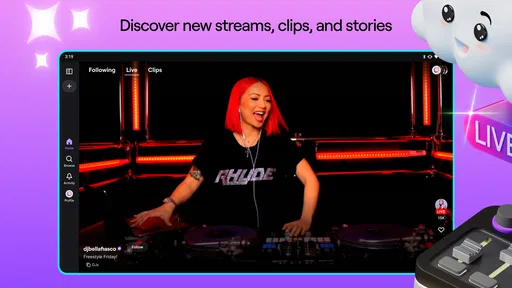
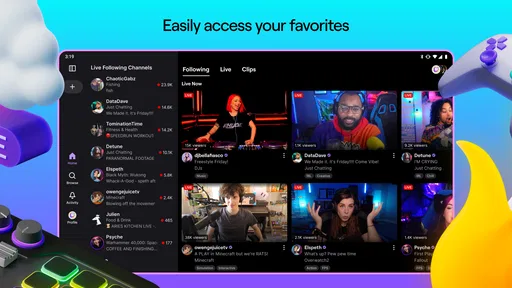
 Analysis by AppCompare
When I first opened Twitch: Live Streaming, I didn’t need to know much about streaming to find something worth watching. The app is built around live video and the communities that gather around it, so a good first visit can be as simple as choosing a channel, watching for a few minutes, and deciding whether its chat and pace suit you. I’d recommend it most to people who enjoy being part of a live audience, not just putting on a video in the background.
What to expect from a live-first app
Twitch is an entertainment app from Twitch Interactive, Inc. It’s free to install, has a Teen content rating, and has been around since May 20, 2015. It has a 4.0 average from around 5.7 million ratings and over 100 million installs, which gives a sense of how large its audience is. In-app purchases range from $0.99 to $1,598.00 per item, so it’s worth treating paid support as optional rather than part of getting started.
The main difference from a typical on-demand video service is the live setting. You can arrive while something is already happening, watch the streamer respond to events, and follow the conversation as it unfolds. That makes the experience lively, but also less predictable: a channel may be quiet, busy, or focused on an inside joke you don’t yet understand. I find it helps to give a new stream a little time before deciding whether it is for me.
Let’s Get Streaming
First things first, if you’re new to Twitch, it’s like the ultimate hangout spot for gamers, creators, and viewers who love to interact with each other in real-time. The app is available on both Android and iOS, which is super convenient because, let’s be honest, who doesn’t have their phone glued to their hand these days?
Easy Onboarding Experience
Jumping into the app is a breeze. The setup process is straightforward, and within minutes, you’ll find yourself navigating through streams of your favorite games, from Fortnite to Minecraft, or even those comforting "just chatting" streams where creators share their lives with you. The interface is clean and intuitive, which makes it easy to find your way around.
For a first visit, I’d keep the goal small: browse a few channels, open one that catches your eye, and watch long enough to understand its mood. You don’t need to commit to a creator just because you clicked in. If you do find someone you want to revisit, following the channel gives you a practical way to keep it in view and shape what you see later. That is a more useful first step than trying to explore every category at once.
Engage Like Never Before
What really sets Twitch apart is the level of engagement it offers. You’re not just passively watching content; you’re part of the action. The chat feature is vibrant and dynamic, letting you interact with streamers and other viewers. It’s like being at a live event from the comfort of your couch.
Worth Reading Before You Choose

Baby Panda World Brings Quick Play to Modern Phones, but Its Game Library Feels Busy

ESPN’s Live Game View Makes Following Close Games Easier

QuizzLand Review: A Good Fit for Short Trivia Breaks, Not Every Player

Basketball Stars: Multiplayer Is Fast, but Can It Recover When Matches Go Wrong?

WEBTOON Turns Phone Updates Into a Better Reading Routine

Link to Windows Runs on Shared Habits, Not Social Feeds
Chat can also be a lot to take in, especially in a fast-moving room. I don’t treat posting as a requirement for enjoying a stream: listening and watching is a perfectly good way to start. When you do want to join in, a short, relevant comment is usually easier to place than trying to catch up on every message. The conversation makes most sense when you respond to what is happening on screen rather than treating it like a separate chat room.
The app also supports notifications, so you never miss when your favorite streamer goes live. Trust me, it’s a game-changer when you’re following someone who streams at odd hours.
Notifications are most helpful when you use them selectively. If you follow many channels and enable every alert, they can become noise and lose their value. I’d start with the creators you genuinely want to catch live, then adjust your choices if your phone starts interrupting you too often. A live notification is an invitation, not an obligation; it’s fine to skip a stream and watch another time when it fits your day.
Customization Galore
Now, let’s talk about personalization. Twitch allows you to follow channels, customize your homepage, and keep track of the content that matters most to you. This means you can tailor your experience exactly how you like it, making it personal and unique. From esports tournaments to cooking shows, there’s something for everyone.
Following is useful as a light-touch organizing habit, not just a way to show loyalty. I use it to separate channels I want to check regularly from one-off discoveries, and I avoid following someone after only a few seconds of viewing. That keeps the home experience more relevant. It also makes Twitch easier to return to when I have a particular interest in mind, whether that is a tournament, a game, or a creator’s casual conversation.
Finding a stream that fits your moment
A realistic use case is a short break after work: I might open the app intending to watch one match or a few minutes of a familiar creator, then leave when I’m ready to do something else. Live viewing works well for that because the appeal is often the shared moment rather than a polished episode with a set beginning and end. For a longer evening, I might instead browse different channels and settle into one community.
The trade-off is that live schedules and stream lengths are controlled by creators, not by my free time. If I want a tightly edited explanation, a quick tutorial, or a clip I can pause and return to later, a conventional video platform may be more convenient. Twitch is strongest when the live presence itself matters: watching a game unfold, seeing a creator react in real time, or following a community event as it happens.
Monetization and Support
If you’re thinking about streaming yourself, Twitch offers a variety of tools to help you succeed. With options for monetization, like subscriptions and bits, streamers can earn income while doing what they love. Plus, the community is usually supportive and ready to help newcomers find their way. It’s all about building that digital community where everyone feels welcome.
I’d separate watching from spending when you’re new. You can learn a lot about a channel’s atmosphere just by watching and reading chat; paid support is not necessary to understand what the app is for. If you later decide to make a purchase, take a moment to check what it does and whether it is something you actually want. The range of possible in-app purchases makes that pause sensible, especially if you are browsing casually rather than planning to support a specific creator.
For someone considering streaming, the best first step is to observe how different creators structure a session and interact with viewers. Notice how they keep conversation moving during quieter moments and how the audience responds. That kind of observation gives a more realistic feel for the work involved than assuming that simply going live will attract an audience. I see the app as a place to learn the rhythm of live communities before deciding whether creating is right for you.
Where Twitch fits among alternatives
Compared with on-demand video apps, Twitch puts immediacy and audience participation ahead of tidy, edited viewing. Compared with services centered on short clips, it asks for more time and attention, but offers the possibility of joining a live conversation rather than only reacting to a finished post. If your main goal is to watch a specific creator live or spend time around a game community, that distinction is a real advantage. If you mainly want quick, searchable answers or short videos between errands, another format may suit you better.
It is also not the best choice when you need a quiet, predictable viewing session. Chat and live events can pull attention away from the stream, and the atmosphere varies from one channel to another. I’d use headphones or lower the volume when I want to watch without making the app the center of the room, and I’d choose a channel whose pace matches the moment rather than expecting every stream to feel alike.
Downsides to Consider
Of course, no app is perfect, and Twitch has its quirks. Occasionally, the app can be a bit buggy, especially during updates. Sometimes streams might buffer or lag, and it can be a tad frustrating if you’re in the middle of an epic gaming moment. Also, the large number of ads can be a bit off-putting, but hey, it’s a small price to pay for free content, right?
Those interruptions matter more during a live moment than during an ordinary video, because a delay can make chat and the action feel out of sync. If a stream is struggling, I’d first give it a moment and then try another channel rather than assuming every broadcast will behave the same way. Ads are another part of the free viewing experience, and anyone who finds frequent interruptions especially distracting may prefer a different way to watch or a less ad-sensitive activity.
There is also a small learning curve in deciding what deserves your attention. A busy chat can look like a wall of messages, and a channel’s humor or regular references may be hard to follow at first. I wouldn’t judge the entire app from one room. Trying a different creator or subject can change the experience substantially, though it does take some browsing to find the right fit.
Making the next visit easier
Once you have found a channel you like, make the next session more intentional: follow it, decide whether you want a live alert, and return when you have time to watch rather than tapping every notification automatically. If you are exploring several interests, use your follows as a short list of places worth revisiting. This avoids the common feeling that you need to search from scratch whenever you open the app.
For a first-time user, success does not have to mean chatting, subscribing, or streaming. It can simply mean finding one creator whose live style you enjoy and knowing how to return. If you later want to participate, start with a friendly message that fits the room. If you want to broadcast, spend time observing how creators handle both the content and the community before taking that step.
Final Thoughts
So, there you have it. Twitch: Live Streaming is more than just an app; it’s a thriving community of gamers, creators, and fans. Whether you’re there to watch or create, it offers a platform that’s engaging, interactive, and full of potential. Just grab your device, download the app, and join in on the fun. Who knows, you might even find your new favorite streamer!
My honest recommendation is to try it if you enjoy shared, live experiences and are happy to explore until you find a channel that feels welcoming. It is less compelling if you want every video to be short, polished, and available on demand, or if chat and ads make viewing feel like work. Start by watching without pressure, follow only the creators you genuinely want to revisit, and let the live format earn a place in your routine.
Pros
- Intuitive interface that's user-friendly.
- Wide variety of content and genres.
- Interactive chat enhances engagement.
- Frequent updates with new features.
- Supports multiple broadcasting options.
Cons
- Ads can be intrusive and frequent.
- High data usage on mobile networks.
- Limited offline viewing options.
- Can be resource-intensive on devices.
- Occasional server connectivity issues.
FAQs for Twitch: Live Streaming
What is Twitch and how can I use it?
Twitch is a live streaming platform primarily focused on video game streaming, where users can watch and broadcast live gameplay. You can access it via its website or mobile app on Android and iOS. To use Twitch, create a free account to follow channels and interact with streamers through chat.
Is Twitch free to use, or are there any costs involved?
Twitch is free to use for both viewers and streamers. However, there are optional costs involved, such as subscribing to your favorite channels for additional perks, purchasing Bits for cheering, or subscribing to Twitch Turbo for an ad-free experience and other benefits.
What features does Twitch offer for streamers?
Twitch offers numerous features for streamers, including customizable channel pages, chat interaction tools, and monetization options like subscriptions, Bits, and ad revenue. Streamers can also access analytics to track their performance and engage with their audience through various tools and extensions.
Are there age restrictions for using Twitch?
Yes, Twitch requires users to be at least 13 years old. Users aged 13 to 18 must have parental permission to use the platform. Twitch enforces these age restrictions to comply with privacy laws and ensure a safe environment for younger users.
How can I ensure a safe experience on Twitch?
To have a safe experience on Twitch, utilize the platform's privacy settings to control who can interact with you. Report and block users who violate community guidelines. It's also important to be cautious about sharing personal information and to follow Twitch's community standards to ensure respectful interactions.


